
Use exactly
https://analyst.nodaldata.io/mcp — no trailing slash — as the server URL
everywhere. That’s the only value any client needs: sign-in is handled server-side, so there are
no OAuth client IDs, callback ports, or token URLs to configure in any agent.Step 1 — Provision once (admin)
In the Nodal admin:- Subscribe to activate your organization’s endpoint.
- Connect your analytics-context repo. The default flow installs the Nodal GitHub App — click through GitHub’s install screen and grant it access to just the repo you pick. Nodal reads the repo to serve your context and can write back, so your analyst can edit definitions and open pull requests from the admin. No token to generate, copy, or rotate. (Prefer to manage a token yourself? You can paste a fine-grained token instead.) Full GitHub setup →
- (Optional) Connect your dbt project repo — read-only — to enable the lineage connector. Nodal can never edit your dbt repo.
That’s the entire access footprint — GitHub only, with write scoped to your context repo. No
database connection is ever requested. Details →
Step 2 — Connect an agent
Every agent points at the same Nodal HTTP server — only where you enter it differs. Pick your vendor, then the specific app. Each vendor has a CLI coding agent (reads a config file) and, in most cases, a desktop app (each teammate adds a connector once in settings).- Claude
- OpenAI
- Gemini
- Claude Code (CLI)
- Claude Desktop
Claude Code reads a Prefer the CLI over editing the file by hand? Want it in every repo, not just one? Use URL only — no
.mcp.json at the repo root — that’s project scope: committed to
the repo and shared with the team. Drop this at the root of a repo your team shares, and any
teammate whose Claude Code opens it gets the Nodal tools:.mcp.json
claude mcp add with --scope project writes
that same repo-level .mcp.json:--scope user to register the server
globally — it’s then available in every project you open, with no per-repo file:oauth block, no pinned callback port. Run /mcp and log in through the
browser on first use. For team distribution, committing the repo-level .mcp.json is the
whole mechanism; the global --scope user route is best for individuals who want Nodal
everywhere.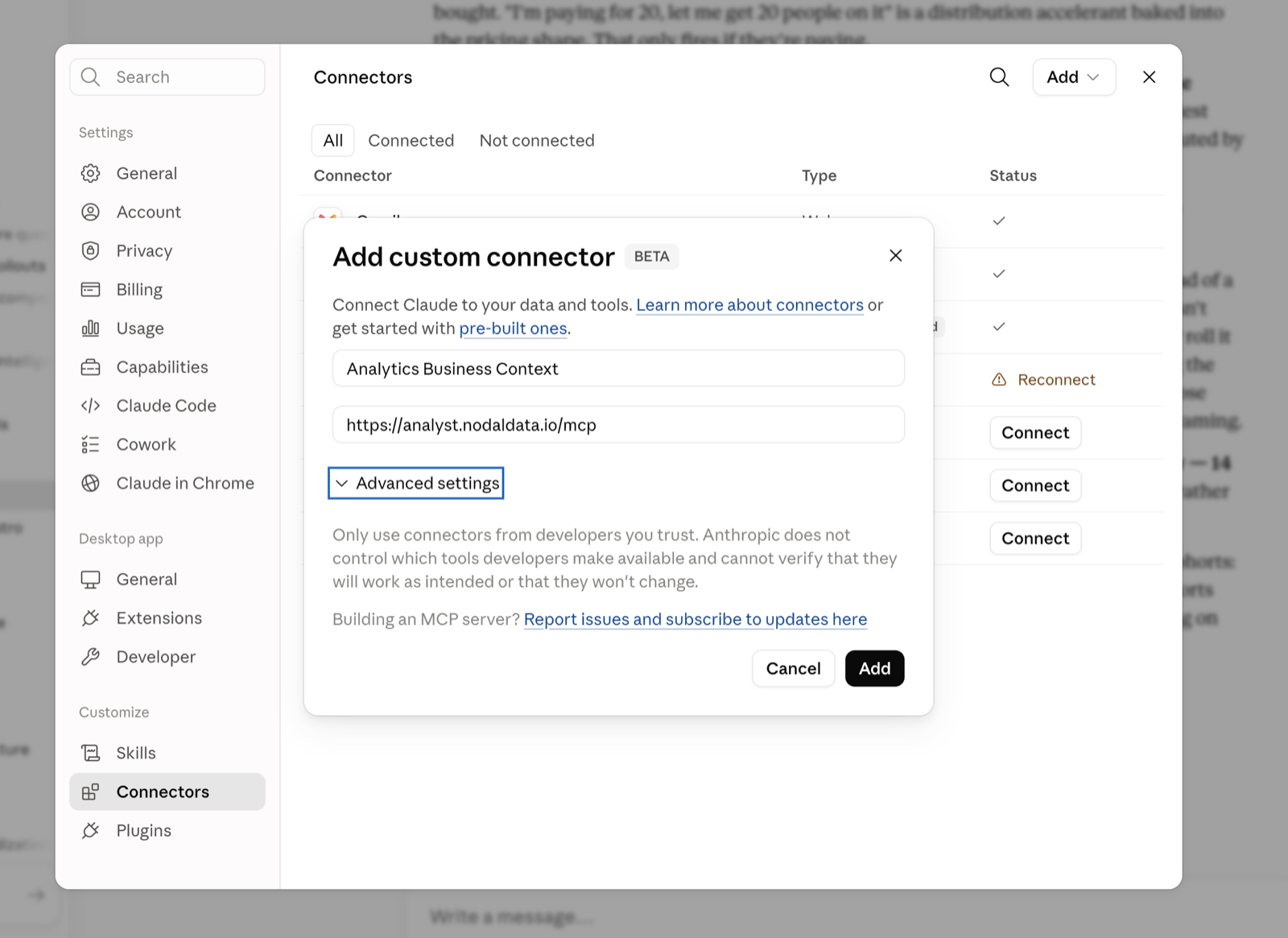
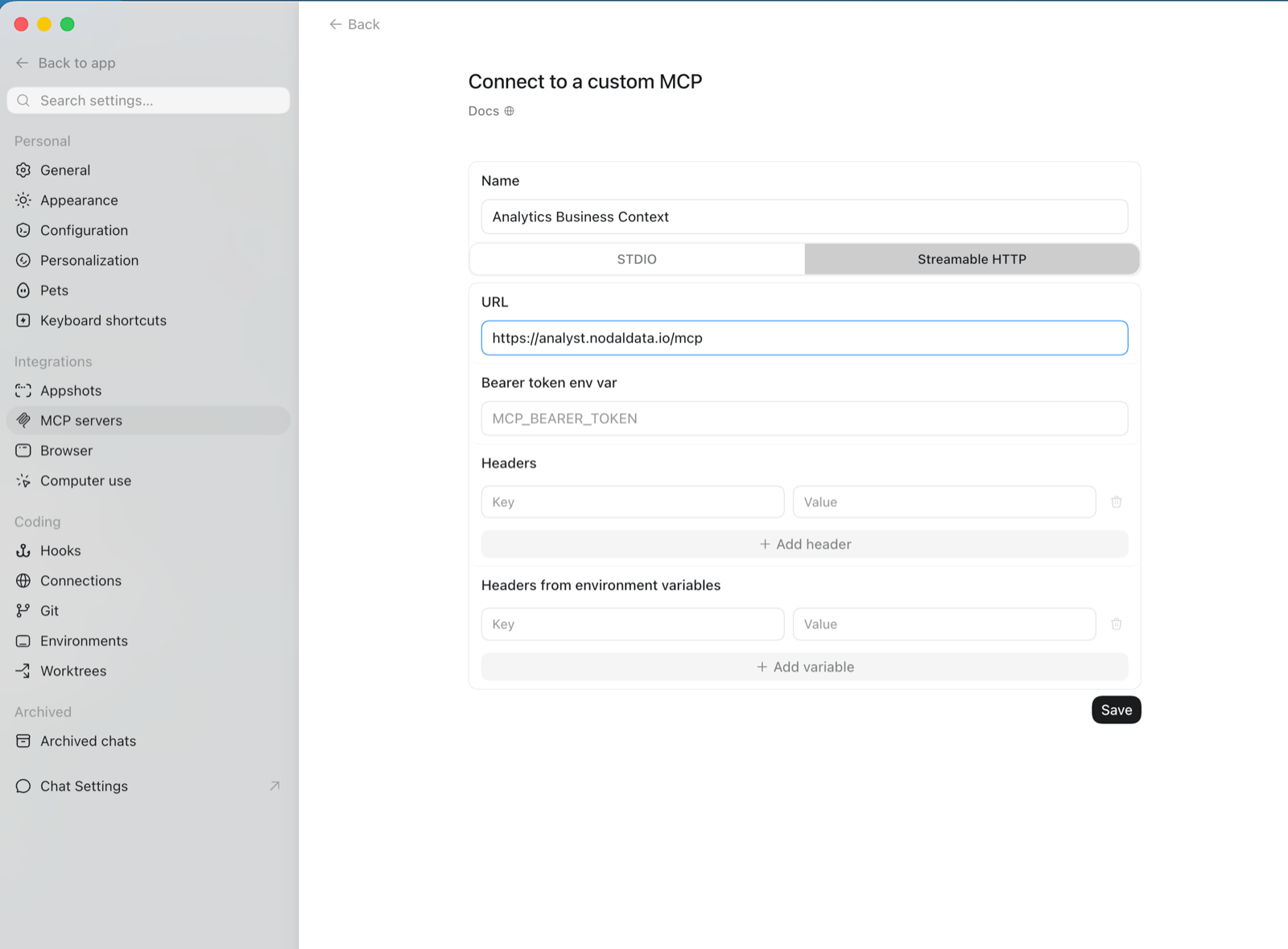
Step 3 — Authenticate
The first time a teammate’s agent reaches the endpoint — on first tool call for Claude Code and Gemini, atcodex mcp login for Codex CLI, or on Connect/Save for the desktop apps — it
runs the standard OAuth 2.0 flow: a browser opens, the teammate signs in, and a token is issued
(scoped to your organization). No API keys, client IDs, or callback ports to configure.
Verify it worked
Ask a question your context covers. The teammate’s agent should call the Nodal tools (for exampleget_business_context or search_corpus) and return an answer grounded in your definitions. See
the tool reference for what’s available.